Mastering Digital Texture: A Practical Guide to Brush Stroke Procreate Stamps
Digital illustration has evolved significantly over the last decade, moving from flat, vector-like precision to rich, textured workflows that mimic traditional media. For artists using iPad-based software, finding the right tools to bridge this gap is essential. One resource that has gained attention in recent months is the Brush Stroke Procreate Stamps collection. This specific package offers forty distinct brush stroke assets designed to streamline the texturing process within the Procreate ecosystem. Understanding whether this toolset aligns with your artistic workflow requires a closer look at its functionality, compatibility, and how it compares to manual painting or other digital asset libraries.
Understanding the Core Functionality
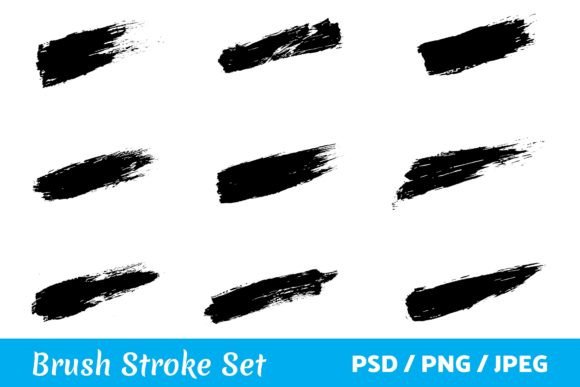
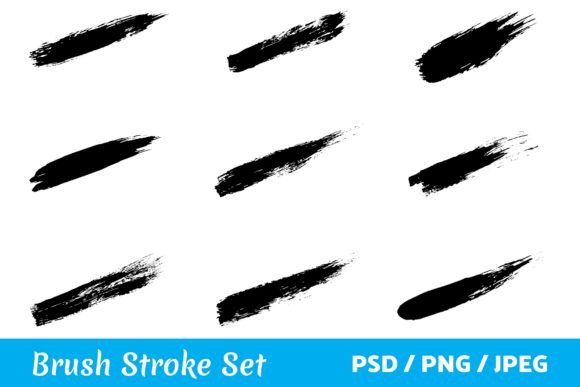
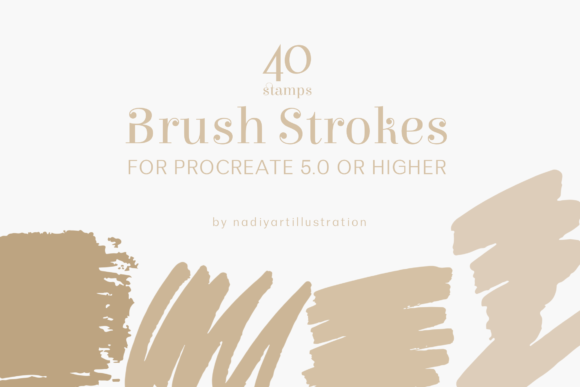
At its simplest, the Brush Stroke Procreate Stamps package is a curated library of pre-rendered brush marks. Unlike standard brushes that require you to paint each stroke manually, these stamps are single-tap assets. The package includes forty unique variations, ranging from broad, expressive swipes to finer, detailed lines. These are not merely decorative elements; they are functional tools intended to add immediate organic texture to digital compositions.
The primary distinction here lies in efficiency. When working on tight deadlines or complex illustrations, painting every background texture or fabric detail by hand can be time-consuming. By utilizing a stamp-based approach, artists can place consistent, high-quality textures instantly. However, it is crucial to note the technical requirements. This brushset file is compatible exclusively with Procreate 5.0 or higher. Users operating on older versions of the software will find the file incompatible, which is a significant consideration for those who have not updated their apps recently.
Stamps Versus Traditional Brush Painting
When evaluating Brush Stroke Procreate Stamps, it is helpful to compare them against the traditional method of painting textures manually. Many experienced illustrators prefer painting every element by hand because it offers total control over pressure, tilt, and flow. Manual painting allows for subtle variations that are difficult to replicate with static assets. If your goal is hyper-realism or highly customized organic movement, manual brushing remains the gold standard.
However, the tradeoff is time. The stamp approach sacrifices some degree of micro-control for speed and consistency. For concept art, mood boards, or social media graphics where visual impact matters more than pixel-perfect uniqueness, stamps are often superior. They provide a cohesive look across an entire piece because the texture source is uniform. This can be particularly useful for creating patterned backgrounds or adding grit to urban sketches without spending hours layering individual strokes.
Key Differences in Workflow
- Speed: Stamps allow for rapid iteration. You can test twenty different background textures in minutes, whereas painting them would take hours.
- Consistency: Every instance of a specific stamp looks identical unless transformed. This ensures visual harmony but can lead to repetition if not managed carefully.
- Learning Curve: Using stamps requires understanding transformation tools—scaling, rotating, and adjusting opacity—to make them look natural. Manual brushing requires mastery of hand-eye coordination and pressure sensitivity.
Evaluating the Package Contents
The inclusion of forty stamps in the Brush Stroke Procreate Stamps package suggests a focus on variety without overwhelming the user. In the world of digital assets, "more" is not always better. Large bundles containing hundreds of brushes often lead to decision paralysis, where artists spend more time browsing than creating. A concise set of forty well-designed strokes encourages experimentation. It forces the artist to learn how to manipulate a limited toolkit creatively, such as changing the color, blending mode, or size of a single stamp to create multiple effects.
These stamps are likely designed to cover a range of common artistic needs. While the specific styles may vary, typical collections in this category include dry media imitations like charcoal or pastel, wet media effects like watercolor bleeds, and bold acrylic marks. The value of the package depends on how well these forty strokes integrate into a broader workflow. If they are too niche, they may sit unused. If they are versatile enough to serve as base layers for various projects, they become indispensable.
Compatibility and Technical Considerations
A critical factor in adopting any new digital tool is technical compatibility. As noted, this brushset requires Procreate 5.0 or higher. This requirement is not arbitrary. Newer versions of Procreate introduced advanced brush engine features, improved layer management, and better Apple Pencil integration. Stamps designed for these newer versions may utilize specific metadata or rendering techniques that older versions cannot interpret.
Before purchasing or downloading, users should verify their current software version. Updating Procreate is generally free for existing users, but it does require a device capable of running the latest iOS updates. Older iPad models may hit a ceiling on software support, which could render this package unusable for some artists. This limitation highlights the importance of checking system requirements before investing in specialized digital resources.
When to Choose Stamps Over Other Methods
Deciding whether Brush Stroke Procreate Stamps are right for you depends on your specific project goals and personal style. Here are scenarios where this toolset excels:
- Rapid Prototyping: If you are a concept artist needing to visualize environments quickly, stamps allow you to block in textures and lighting effects rapidly.
- Graphic Design Hybridization: Artists who blend illustration with graphic design often need clean, repeatable elements. Stamps provide a middle ground between photographic textures and vector shapes.
- Overcoming Creative Block: Sometimes, starting with a blank canvas is daunting. Placing a few random brush strokes can spark ideas for composition and color palette.
Conversely, there are situations where alternative approaches may be better. If you are creating fine art pieces intended for large-format printing, the resolution and repeatability of stamps might be noticeable. In such cases, custom-created brushes or hand-painted textures offer the necessary uniqueness and detail. Additionally, if you enjoy the meditative process of painting, relying on stamps might feel like cheating or reduce the satisfaction of the creative process.
Integrating Stamps into a Professional Workflow
To get the most out of the Brush Stroke Procreate Stamps, it is essential to move beyond simple placement. Professional artists often use stamps as a base layer, then paint over them to break up repetition. Techniques such as clipping masks, alpha lock, and blending modes can transform a static stamp into a dynamic part of the illustration. For example, a single dry brush stamp can be duplicated, rotated, and colored differently to create a complex foliage effect. By varying opacity and using erasers to soften edges, the artificial nature of the stamp can be concealed.
Furthermore, combining these stamps with other tools in Procreate creates a more robust workflow. You might use a stamp for the initial texture, then apply a noise filter or adjustment layer to unify the colors. This hybrid approach leverages the speed of automation while retaining the artistic touch of manual editing.
Making an Informed Decision
In the crowded market of digital art resources, Brush Stroke Procreate Stamps offers a focused solution for a specific problem: adding texture efficiently. It is not a replacement for skill or creativity, but rather a tool to enhance productivity. The forty-stamp limit is both a constraint and a benefit, encouraging mastery of a smaller set of assets rather than superficial use of a massive library.
For artists aged 20–50 who are balancing creative passion with professional demands, time management is often as important as artistic quality. If you find yourself spending disproportionate amounts of time on background textures or repetitive patterns, this package may offer the relief you need. However, if your work relies heavily on unique, hand-crafted details, you may find limited utility in pre-made stamps. Ultimately, the value lies in how well the tool integrates into your existing habits. Testing the stamps in a low-stakes project can provide the best insight into whether they belong in your permanent toolkit.
Remember that digital tools are extensions of your intent. Whether you choose to adopt Brush Stroke Procreate Stamps or stick to manual methods, the goal remains the same: creating compelling visual narratives. By understanding the strengths and limitations of stamp-based workflows, you can make a choice that supports your artistic vision rather than dictating it.