Master Streaky Oil Textures in Procreate
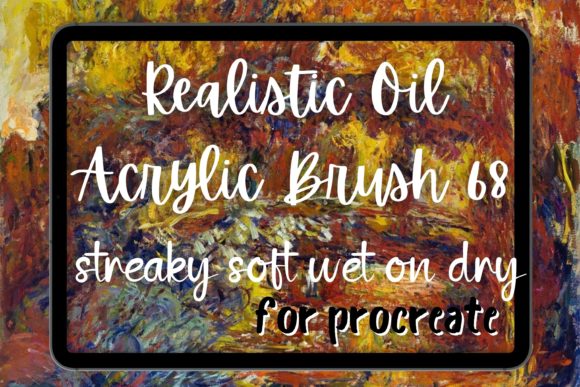
Digital painting often struggles to capture the chaotic beauty of traditional media. We have all seen artwork that looks too clean, too perfect, and ultimately, a bit sterile. This is where the Procreate Oil Brush 68 Streaky Soft Wet changes the game. It is not just another tool in your library; it is a bridge between the tactile satisfaction of physical paint and the convenience of digital creation. By simulating real-life brush strokes, this brush gives you the distinct feeling of dragging heavy pigment across textured canvas, complete with natural imperfections and organic flow.
For artists ranging from curious beginners to seasoned professionals, understanding how to leverage tools like this can transform flat illustrations into dynamic, painterly masterpieces. Whether you are aiming for the swirling energy of Van Gogh or the subtle gradients of impressionism, mastering the wet-on-dry technique digitally requires the right instruments. Let us explore why this specific brush has become a favorite for those seeking authenticity in their digital workflow.
Why Texture Matters in Digital Art
The primary appeal of the Procreate Oil Brush 68 Streaky Soft Wet lies in its ability to mimic the physical resistance of paint. Traditional oil paints have viscosity. They do not just appear on the canvas; they interact with it. When you use a standard digital brush, the color often applies uniformly. However, this brush introduces "streaks" and variations in opacity that simulate the way bristles separate when loaded with thick paint.
This characteristic is vital for creating depth. In traditional oil brush strokes, light catches the ridges of the paint. Digitally, we simulate this through texture and blending behavior. The "soft wet" aspect ensures that while the stroke has definition, it also blends slightly with underlying layers, mimicking the way fresh oil paint interacts with a surface that is not entirely dry. This creates a cohesive look rather than a collage of disjointed marks.
Achieving the Van Gogh Aesthetic
Many digital artists dream of capturing the expressive style of post-impressionist masters. The term Van Gogh brush is often searched by creators looking for tools that allow for bold, directional movement. The Procreate Van Gogh style is characterized by visible, rhythmic strokes that convey emotion and motion. The Streaky Soft Wet brush is engineered specifically for this purpose.
Imagine painting a night sky. With a standard soft round brush, you might create a smooth gradient. But with this oil brush, each swipe leaves a trail of textured color. You can layer these strokes to build up intensity, much like applying thick impasto. This makes it an excellent choice for impressionism and expressive landscapes. It allows you to focus on the gesture of the hand rather than worrying about perfect edges, encouraging a more intuitive and free-flowing creative process.
Versatility Beyond Oil Painting
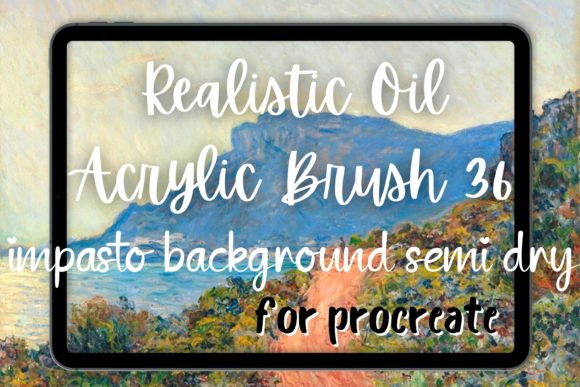
While the name suggests oil, the utility of this tool extends far beyond traditional realism. Many users find it equally effective as an acrylic brush or even a gouache brush depending on the opacity settings and canvas texture used. The "wet on dry" technique is particularly powerful here. By adjusting the flow, you can achieve the matte, quick-drying look of acrylics or the opaque, chalky finish of gouache.
- Abstract Painting: Use rapid, overlapping strokes to create energy and movement without defining specific forms.
- Portrait Work: Apply subtle streaks to skin tones to avoid the plastic, airbrushed look common in digital portraits.
- Concept Art: Quickly block in shapes with painterly textures to communicate mood and lighting early in the design process.
This versatility makes it a valuable addition to any Procreate bundle. Instead of switching between ten different brushes for different effects, you can often rely on this single tool, adjusting your pressure and angle to suit the medium you are emulating.
Practical Tips for Beginners
If you are new to digital painting, starting with a textured brush can feel intimidating. Here are some practical observations to help you get the most out of the soft oil brush functionality:
- Start with a Large Canvas: Texture details need space to breathe. Working on a small canvas may make the streaks look like noise rather than intentional brushwork.
- Use a Tilted Stylus: Many advanced brushes respond to the tilt of your Apple Pencil. Tilting the pen can widen the stroke and reveal more of the bristle texture, similar to using the side of a physical brush.
- Layer Wisely: Do not try to finish a painting in one layer. Build up your colors. Let the bottom layers show through the gaps in the top layers to create visual complexity.
- Experiment with Color Mixing: Instead of picking a new color for every stroke, try picking colors from your existing painting. This helps blend the oil streaks naturally, creating harmonious transitions.
Professional Applications and Commercial Use
For freelancers, marketers, and small business owners, unique visual assets are crucial. Stock photos are everywhere, but custom digital paintings stand out. Using tools that create a painterly effect allows brands to convey warmth, craftsmanship, and humanity. A social media graphic created with realistic oil textures feels more personal and engaging than a vector illustration.
Educators and content creators can also benefit. Teaching art concepts digitally becomes easier when the tools behave predictably like their physical counterparts. Demonstrating the wet on dry technique or explaining color theory through layered oil strokes provides students with a relatable learning experience, even if they do not have access to a physical studio.
Things to Consider Before You Start
While the Procreate Oil Brush 68 Streaky Soft Wet is powerful, it is not a magic wand. Understanding its limitations is key to using it effectively. First, performance matters. Highly textured brushes can be resource-intensive. Ensure your iPad model supports the complexity of the brush engine to avoid lag during fast strokes.
Second, consider your end goal. If you are aiming for hyper-realistic, photo-bashed imagery, a streaky brush might require more cleanup work. However, for stylized, expressive, or illustrative work, it is ideal. Finally, remember that no single brush defines your style. This tool is part of a larger ecosystem. Combining it with smoother blending brushes or sharp detail pens will give you the control needed to refine your artwork after laying down the initial expressive marks.
In conclusion, integrating realistic texture tools into your digital workflow opens up new avenues for expression. The Procreate Oil Brush 68 Streaky Soft Wet offers a tangible connection to the history of painting, allowing modern creators to explore abstract painting, portraiture, and landscape art with a renewed sense of touch and materiality. Whether you are a hobbyist looking to relax or a professional seeking a unique edge, mastering this brush can elevate your digital art from simple drawings to compelling paintings.