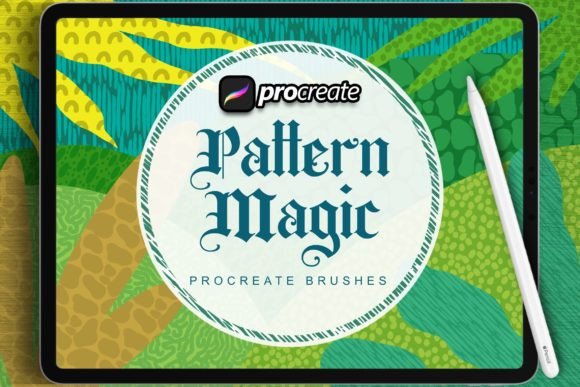
Dans Pattern Magic Brush: Elevate Digital Art
In the rapidly evolving landscape of digital illustration, the gap between traditional tactile artistry and modern software capabilities is narrowing. For years, designers have sought tools that replicate the organic imperfection of hand-drawn media without sacrificing the efficiency of digital workflows. This is where Dans Pattern Magic Brush enters the conversation. Born from extensive experience in the graphic design industry, this brush set addresses a specific, growing demand for high-quality, analog-style resources tailored for Procreate on the iPad Pro.
We have spent countless hours refining these assets, ensuring they meet the rigorous standards of professional illustrators, marketers, and creative entrepreneurs. The result is a collection that does not merely mimic texture but enhances the creative process, allowing for perfect creation possibilities whether you are sketching a quick concept or finalizing a commercial project.
Bridging the Analog-Digital Divide
The primary challenge many digital artists face is the "sterile" look of vector-based or standard raster brushes. While clean lines have their place, they often lack the warmth and character associated with handcrafted work. Dans Pattern Magic Brush was developed to solve this by injecting authentic texture into every stroke. By leveraging the pressure sensitivity and tilt recognition of the Apple Pencil, these brushes respond dynamically to your hand movements, creating a natural flow that feels intuitive rather than forced.
This bridge between mediums is crucial for professionals who need to maintain a unique visual identity. In a saturated market, having a distinct style is not just an aesthetic choice; it is a branding necessity. Using tools that allow for genuine expression helps creators stand out, making their work instantly recognizable to clients and audiences alike.
Key Characteristics and Strengths
Understanding what makes this brush set effective requires looking at its core components. The design philosophy behind Dans Pattern Magic Brush focuses on versatility and realism. Here are the notable qualities that define its performance:
- Authentic Texture Mapping: Each brush incorporates high-resolution scans of real-world materials, ensuring that grain, paper tooth, and ink bleed look convincing at any zoom level.
- Optimized for Procreate: The brushes are specifically calibrated for the iPad Pro ecosystem, minimizing lag and maximizing responsiveness when used with the Apple Pencil.
- Versatile Stroke Dynamics: From fine, controlled lines for detailed patterning to broad, expressive sweeps for background textures, the set covers a wide range of artistic needs.
- Layer-Friendly Blending: The brushes interact naturally with Procreate’s blending modes, allowing for complex layering effects without muddy or pixelated results.
These features are not just technical specifications; they translate directly into a smoother workflow. When the tool disappears into the background, the artist can focus entirely on the creative vision.
Practical Applications Across Industries
The utility of Dans Pattern Magic Brush extends far beyond hobbyist sketching. Its robust feature set makes it a valuable asset across various professional environments. Here is how different sectors can leverage these tools:
Branding and Marketing
For marketers and brand designers, consistency and uniqueness are paramount. Custom illustrations created with these brushes can be used in social media campaigns, email newsletters, and website headers to add a human touch to corporate communications. Instead of relying on stock photography or generic icons, brands can create bespoke patterns and textures that align perfectly with their voice. This approach increases engagement, as audiences tend to respond more positively to content that feels handcrafted and personal.
Educational Content Creation
Educators and instructional designers often struggle to make digital learning materials visually engaging. Using Dans Pattern Magic Brush, teachers can create warm, inviting diagrams and illustrations for e-books, online courses, and presentations. The analog aesthetic helps reduce the cognitive load associated with sterile digital interfaces, making complex information more approachable and memorable for students.
Commercial Illustration and Publishing
Freelance illustrators and publishers benefit significantly from the efficiency these brushes provide. When working on tight deadlines for book covers, editorial pieces, or packaging design, the ability to quickly generate textured backgrounds and intricate patterns is invaluable. The brush set allows for rapid iteration, enabling artists to experiment with different looks without starting from scratch. This speed does not come at the cost of quality; the final output remains print-ready and professionally polished.
Enhancing Productivity and User Experience
One of the most significant benefits of integrating Dans Pattern Magic Brush into your workflow is the boost in productivity. Traditional methods of creating textured effects digitally often involve multiple steps: importing textures, adjusting opacity, masking, and blending. With these pre-configured brushes, much of this heavy lifting is done automatically. A single stroke can deliver color, texture, and depth simultaneously.
This efficiency translates to better user experience for the creator. Less time spent fighting with software settings means more time dedicated to conceptualization and refinement. For business owners and entrepreneurs who manage their own design tasks, this ease of use lowers the barrier to entry for producing high-quality visual content. You do not need to be a technical expert in digital art software to achieve professional results.
Selecting and Implementing the Right Tools
When evaluating digital art resources, it is essential to consider compatibility and learning curve. Dans Pattern Magic Brush is designed with usability in mind, but getting the most out of it requires some practice. Here are practical considerations for implementation:
- Hardware Check: Ensure you are using an iPad Pro with a compatible Apple Pencil. While other tablets may work, the full range of pressure and tilt sensitivity is optimized for Apple’s ecosystem.
- Canvas Resolution: To fully appreciate the texture details, work at a high resolution. This ensures that your patterns remain crisp when exported for print or high-definition screens.
- Experiment with Settings: Do not hesitate to adjust streamlines, opacity, and size limits within Procreate. Customizing the brush behavior to your personal drawing style can further enhance comfort and control.
- Layer Management: Use separate layers for sketches, base colors, and textured overlays. This non-destructive workflow allows for easy edits and adjustments throughout the design process.
By approaching these tools with a mindset of exploration, you can unlock their full potential. The goal is not to memorize every setting but to understand how the brushes react to your touch, allowing for a more fluid and intuitive creative experience.
Final Thoughts on Creative Empowerment
In the end, tools like Dans Pattern Magic Brush are about empowerment. They remove technical friction, allowing creators to focus on what matters most: storytelling and visual communication. Whether you are a seasoned graphic designer looking to refresh your toolkit or an entrepreneur aiming to elevate your brand’s visual presence, these resources offer a reliable path to achieving distinctive, high-quality results.
The demand for special materials in the graphic design world is driven by a desire for authenticity. As digital platforms become increasingly crowded, the human element becomes more valuable. By incorporating handcrafted analog-style resources into your digital workflow, you invest in a style that resonates with audiences on a deeper level. Explore the possibilities, experiment with the textures, and let your creativity flow without boundaries.